AI Knowledge Search (RAG)
AI Knowledge
Search (RAG)
System Development
Search your documents by meaning, answered with sources.
See the overviewKnowledge, made easier to use
Manuals, procedures, policies, tables, old booklets. The information is somewhere in the company, but finding it takes time, and even when you find it you lose track of which document said it.
Research found that office workers spend nearly 20% of their week looking for internal information or people, and that a searchable record can cut that by up to 35% (McKinsey Global Institute, "The social economy" (2012)).
AI Knowledge Search builds RAG (retrieval-augmented generation) systems. It first searches your documents by meaning, then the AI answers using only the passages it found. It is less likely to invent answers, and each answer lists its source document and place with a number.
For a company of 100 people at an average salary of ¥5M, searching at 20% of work time is ¥100M of time a year. Halving it frees ¥50M of time for planning, training or customers (an example estimate).
Key features





How it works
1. Gather the documents
Collect the documents you want to search (tables, booklets, manuals, recordings) and check their formats and content. Start with one collection.
2. Build the search
Split the documents, turn meaning into numbers, find the passages closest to a question and answer from those passages only.
3. Grow it in use
Check answer quality in real use and widen the documents and search step by step.
Technology and materials
Demo
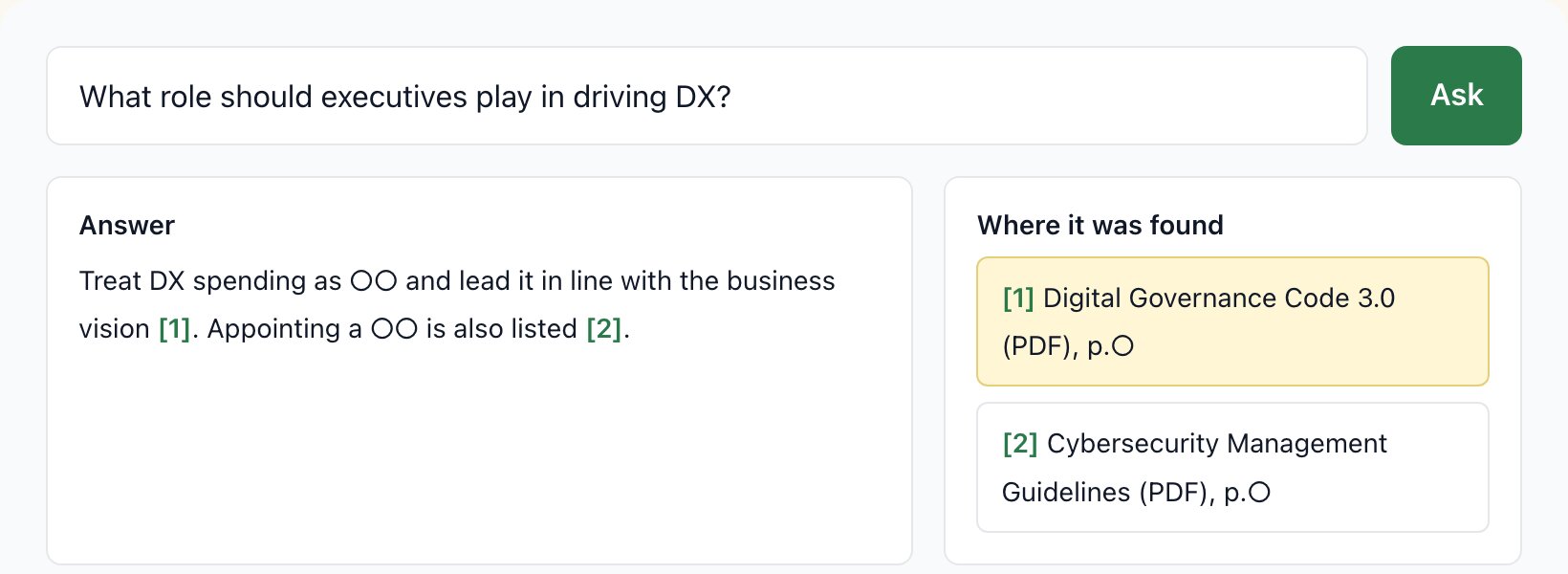
A demo page lets you ask the AI real questions across five public documents (143 pages, in Japanese): four METI guidelines on DX, AI and cybersecurity, plus the Japan Growth Strategy Council paper “About the AX Evangelist Training Program.”
| Document (Japanese) | Format | Pieces |
|---|---|---|
| Digital Governance Code 3.0 | PDF (19 pages) | 41 |
| AI Guidelines for Business (ver. 1.1), main text | PDF (40 pages) | 144 |
| Cybersecurity Management Guidelines ver. 3.0 | PDF (53 pages) | 153 |
| DX Report 2.1 (main text) | PDF (24 pages) | 51 |
| About the AX Evangelist Training Program (Japan Growth Strategy Council, Material 3-5) | PDF (7 pages) | 14 |
| Total (143 pages, about 150,000 characters) | 403 |
Frequently asked questions
What documents can it search?
Documents of different formats — tables (CSV, Excel) and booklets (PDF) — can be searched together. We'll discuss which formats fit your content.
How are the sources shown?
Each answer is numbered, and the source document and location sit beside it. You can check the original rather than trusting the answer blindly.
Does the demo really run?
Yes. The demo page opened from “Try the demo” answers with real AI over the five public documents listed above. There is a daily limit on how many questions it takes.
Can it search audio, video and images?
Yes. Audio and video are transcribed, and images get captions or tags before import. Answers point back to the original file and the time or place. The demo covers public PDFs only.
Can I try it with my own documents?
Yes. Bring the documents you want to search, and we'll check whether we can build it for your content. Starting from one collection is easiest.